Private betainteractive preview now open
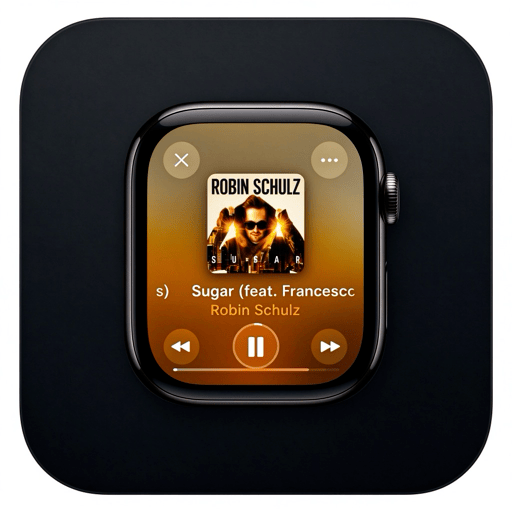
Give macOS
Give macOS
an extra wrist
A Crown, a side button, eight watch faces, and a music hub — packed into one native floating watch.
The time sits beside your work, and so do the controls.
Analog
Mon, Oct 12
16:40
Activity 82%Music PlayingReminders 3
Modular
16:40
Rings
Attention stays on the main thread —
key information lives at the edge of your vision.
The Crown and side button form a complete path —
one less window switch.
Native SwiftUI and system playback —
no browser shell.
Core Experience
Work the way a watch works, not another window
MaciWatch compresses your interaction radius to a single watch: check the time, open a mini app, control music — all without pulling focus from what you were doing.
From clock to music in two moves
- Crown clickopens Honeycomb Home
- Pick Musicenters the platform hub and play queue
- Crown dragadjusts volume with an HUD
- Side buttonPlayer → Hub → Clock
Always on topDesktop levelClick-throughPeekaboo
Watch Faces
Eight faces, from minimal to information-dense
Every face reads the same state source. Switching from minimal numerals to five-ring progress never restarts the app.
Analog
Classic hands with high-contrast ticks.
Modular
Time, activity, music, and reminders in dedicated zones.
12
California
A vintage dial with hybrid numerals.
16:40
Minimal
Nothing but time and date.
88
Pop Numerals
Big type with bold accent colors.
Painter
A lifelike figure erased and redrawn minute by minute.
Activity Rings
Second, minute, hour, day, and year progress rings.
Fresh Analog
A lighter dial with softer colors.
Music Hub
A player shrunk to wrist size
The music hub is built around your queue and what's playing — not a shrunken web page. Platform capabilities roll out as licensing and APIs allow.
Now Playing
Queue, cover art, and volume on one level
Play, pause, previous, next, and volume are all reachable through the Crown and side button without interrupting your desktop task.
Local Music
AvailableFile and folder playback, queue looping, fast browsing.
NetEase Cloud Music
Build-dependentQR login, playlists, daily mixes, and cover art.
More Platforms
PlannedQQ Music, Spotify, and others are evaluated as licensing and API stability allow.
System Output
NativeAVPlayer playback, system volume, and Crown-driven HUD.
Third-party names and trademarks belong to their respective owners. Platform features are used only within the permissions you grant.
Compare
Why it's more complete than a desktop clock widget
| Capability | MaciWatch | Clock app | Web widget |
|---|---|---|---|
| Crown / side button interaction | |||
| Multiple watch faces | |||
| Music queue control | |||
| Click-through / full-space window | |||
| Native window levels |
Licensing
Commercial software with clear licenses — not open source
MaciWatch is a paid product. Neither this site nor the source repositories are published under an open-source license. Launch pricing is live below — buy once and the app keeps working forever.
Trial
Free
- 14 days with every feature
- All 9 faces, music hub, plugins
- No card required
Yearly
$6.99¥49
$4.9¥29.9/ year
- Full app on 1 Mac
- 12 months of feature updates
- Keeps working after expiry — updates just pause
Lifetime
$19.9¥128
$9.9¥68
- Full app on 1 Mac, forever
- All future updates included
- Priority support
Family
$49.5¥340
$19.9¥128
- Lifetime for up to 5 Macs
- Every future update, every seat
- One invoice for the household
Launch pricing — anchor prices return after the launch window. Licenses never expire: Yearly keeps working when updates pause, Lifetime never pauses.
Get
Trial build in preparation
The official installer will ship through the licensing page. Tell us your use case and system version now and we'll prioritize your beta invite.
- macOS 14 or later
- Apple Silicon or Intel Mac
- Some glass effects depend on newer system versions
FAQ
Check before you buy
Licensing, system requirements, and the boundaries of music platforms — all answered here.
Is this open-source software?
No. MaciWatch is paid commercial software. Neither the app source nor this website is released under an open-source license, and redistribution or resale is not permitted.
What happens when a Yearly license expires?
Nothing breaks. The app keeps every feature you already have — updates simply pause until you renew ($4.9 / ¥29.9). Lifetime licenses include all future updates and never pause.
Which systems are supported?
Core features support macOS 14+. Newer system capabilities such as Liquid Glass enhance the experience when available, but never gate core features.
Does the music feature include content rights?
No. The app only provides playback and control; you are responsible for your accounts, content, and compliance with local regulations.
Is it related to Apple Watch?
There is no official relationship. Apple, Apple Watch, and macOS are trademarks of Apple Inc.; MaciWatch is independent software.